- 1. Brandfolder
- Brandfolder DAM Features + Advanced Extras
- Cloud-Based Storage for All of Your Brand’s Digital Assets
- Advanced Search
- User Permissions to Share Assets with Team Members
- Custom Share Links
- Integrations
- Brandfolder Insights
- Brandfolder’s Features to Support Content Creation
- Brandfolder’s Features to Support Brand Managers
- Brandfolder’s Features to Support Team Collaboration and Project Managers
- Schedule a Free Demo of Brandfolder
- Brandfolder DAM Features + Advanced Extras
- 2. Canto
- 3. Image Relay
- 4. Bynder
- 5. MediaValet
Get branding tips and expert advice delivered straight to your inbox.

Aprimo digital asset management software is designed for businesses that are ready to move beyond cloud storage drives and file sharing apps like Google Drive, Microsoft OneDrive, or Box, and need a solution with upgraded functionality to support team workflows. In addition to a DAM solution, they offer productivity management software and a suite of features to plan, execute, and monitor digital marketing projects.
However, reviews of Aprimo’s software are hit or miss. **(Aprimo receives a 3.8-star rating on G2.)**
Some users rate the software highly, saying: Aprimo has good out-of-box functionality and their team provides helpful support as you get started. Other positive reviews note that Aprimo lets you build out your DAM package based on your requirements, and the open structure of the DAM allows you to neatly organize files and personalize your asset library. Aprimo also offers automation features that you can customize to streamline a variety of workflows and save time.
But negative reviews of the software mention a clunky UI, challenging features, and long training times — the platform isn’t the easiest to learn or smoothest to use. Reviewers mention that the platform can become even more challenging as your asset library grows: Users from larger teams say it’s hard to keep files organized, avoid clutter and duplicate content, or search the DAM library to retrieve files. Plus, Aprimo’s plans can become rather expensive as you add to the software — so many small teams are priced out of the conversation early on.
Based on research, Aprimo can suit mid-size to enterprise businesses that work primarily with internal teams, have the time and resources to learn the software, and are looking for DAM with features to augment workflow capabilities. But teams that frequently collaborate or share files with external groups and want a more modern DAM should consider an alternative solution.
In this guide, we review five Aprimo competitors for growing businesses and enterprise teams. We included DAMs that score higher for usability and support, and every Aprimo alternative on this list is rated a 4.0 or above on G2.
We kick off our guide with a review of Brandfolder, our digital asset management software. But you can also **schedule a free demo with our team** to talk about what you’re looking for in a DAM solution and see if we’re the right fit.
1. Brandfolder
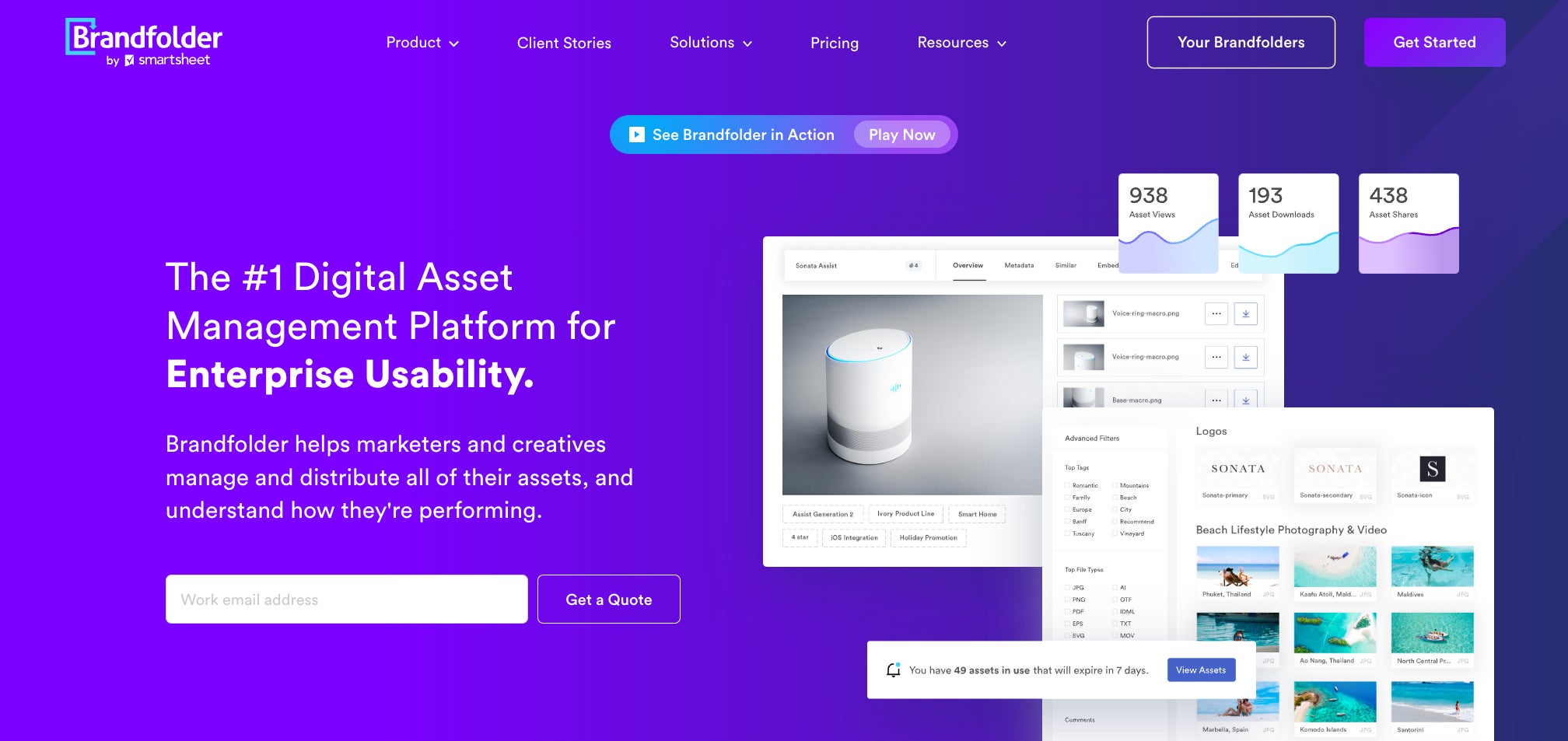
Brandfolder is a highly-scalable digital asset management software — we’re one of the most popular DAMs because our solution is flexible and configurable to support a majority of team needs, even offering flexible set-up packages for small businesses that are ready to upgrade to a DAM system.
We’re **rated 4.5 stars on G2** and score well in categories like ease of use (9.1), quality of support (9.2), and ease of setup (8.6).
Reviewers praise our software because the dashboard has a modern look and feel, and all of the features are user-friendly. Teams can learn the ins and outs of Brandfolder pretty easily and you can add guest users without having to train them on the features. (You can also access free training tutorials to learn about our platform and stay in the know during new feature releases.)
We have a top-rated support team that guides you through each step of onboarding — we help you choose a storage package, select add-on features, organize digital assets, migrate content, and add users. Since our platform is highly adaptable, Brandfolder can grow with big businesses: you can change storage space, add features, and set up new integrations at any point.
Most teams can achieve organization-wide adoption in less than two months, and you can always reach out to our team if you have questions or need help making updates to Brandfolder.
In addition, Brandfolder has a robust feature set that includes DAM essentials (like online file sharing and asset analytics) and advanced extras (like a video editing suite and Smart CDN) to support all stages of the asset lifecycle.
We’re always updating our platform to improve UX and support user workflows — for example, our latest feature release included content automation, a templating tool that can empower users to create brand-controlled collateral at scale within the DAM — and we partner with dozens of other software solutions so our DAM can seamlessly mesh with your tech stack.
Let’s review Brandfolder’s DAM features.
Brandfolder DAM Features + Advanced Extras
Cloud-Based Storage for All of Your Brand’s Digital Assets
Brandfolder accepts hundreds of file types so you can centralize brand assets instead of storing content across multiple storage drives. You can store product imagery, spec sheets, design files, 3D models, marketing and sales collateral, social media content, video recordings, brand elements (like logos and colors), and more, all in one hub. And our DAM structure makes it easy to organize all of your brand assets in a clear way.
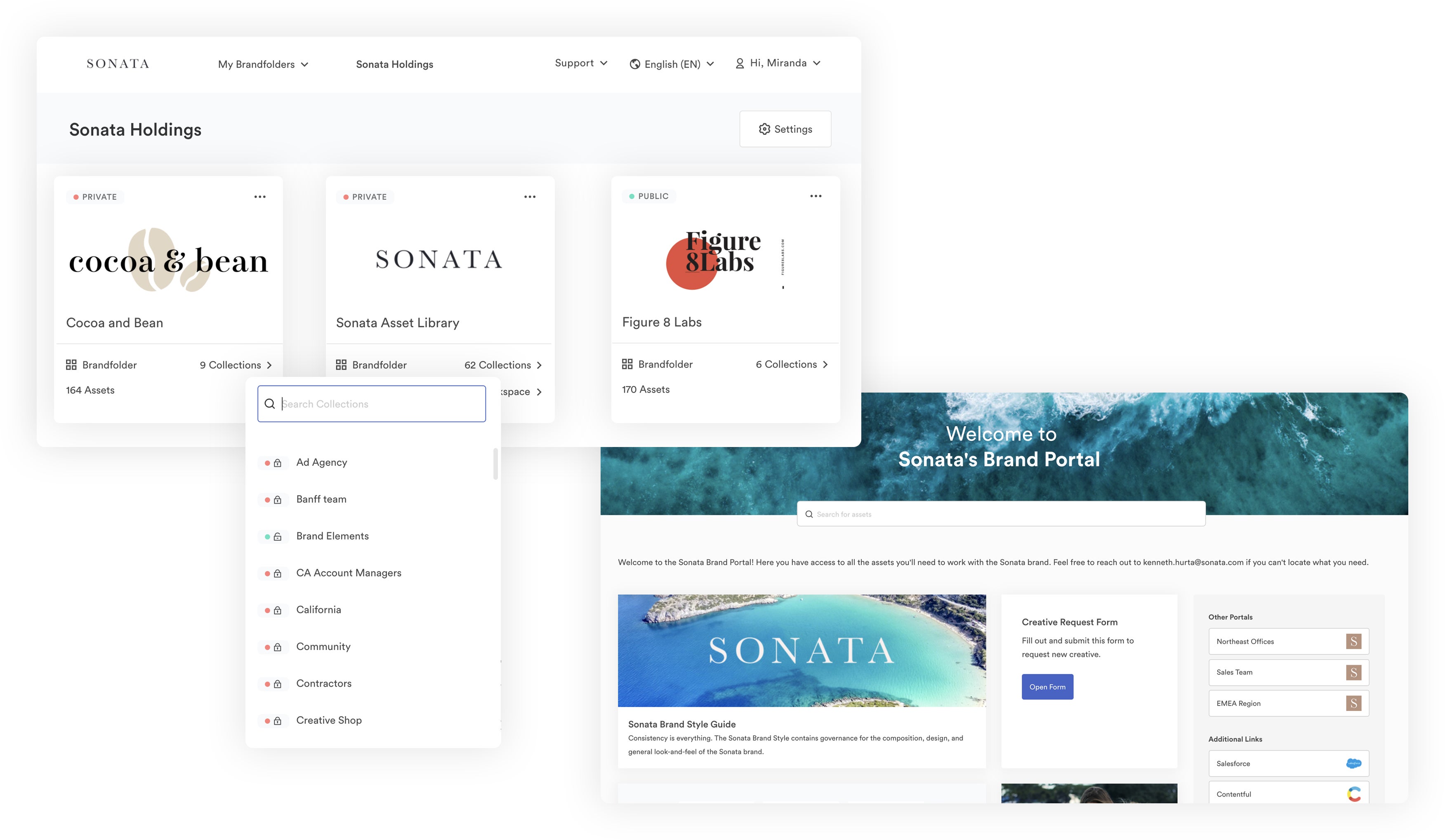
At a high level, you can organize assets by brand in Brandfolders. But within Brandfolders, you can create Collections, Portals, Sections, custom filters, and more to organize and filter assets in the most logical ways for your end users.
Our team helps you establish your DAM taxonomy during onboarding, and we can even create automation rules that train our AI to automatically organize new uploads. This AI/ML also auto-tags assets and adds metadata, and learns brand-specific metadata.
Then, we have features like duplicate asset detection, expirations, version control, and permissions to keep your DAM library organized and make sure all of the content is current and approved.
Read more: DAM Software: The Best Cloud Storage for Business
Advanced Search
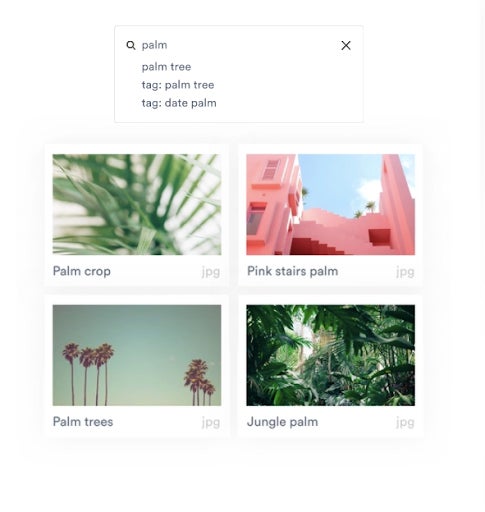
Brandfolder’s AI also powers asset search and discovery — you can quickly retrieve files and find new content that relates to your projects. Type any word or phrase and Brand Intelligence scans asset metadata and pulls all relevant files in your library.
User Permissions to Share Assets with Team Members
Brandfolder allows you to grant access to DAM content via user permissions.
You can add team members, managers, freelancers, stakeholders, partners (or anybody you collaborate and share files with) to your Brandfolder and assign them a role — Admin, Collaborator, or Guest. This allows you to share files and maintain control over what end users can do with your content (i.e., some users can edit and update brand assets, while others can only view or download).
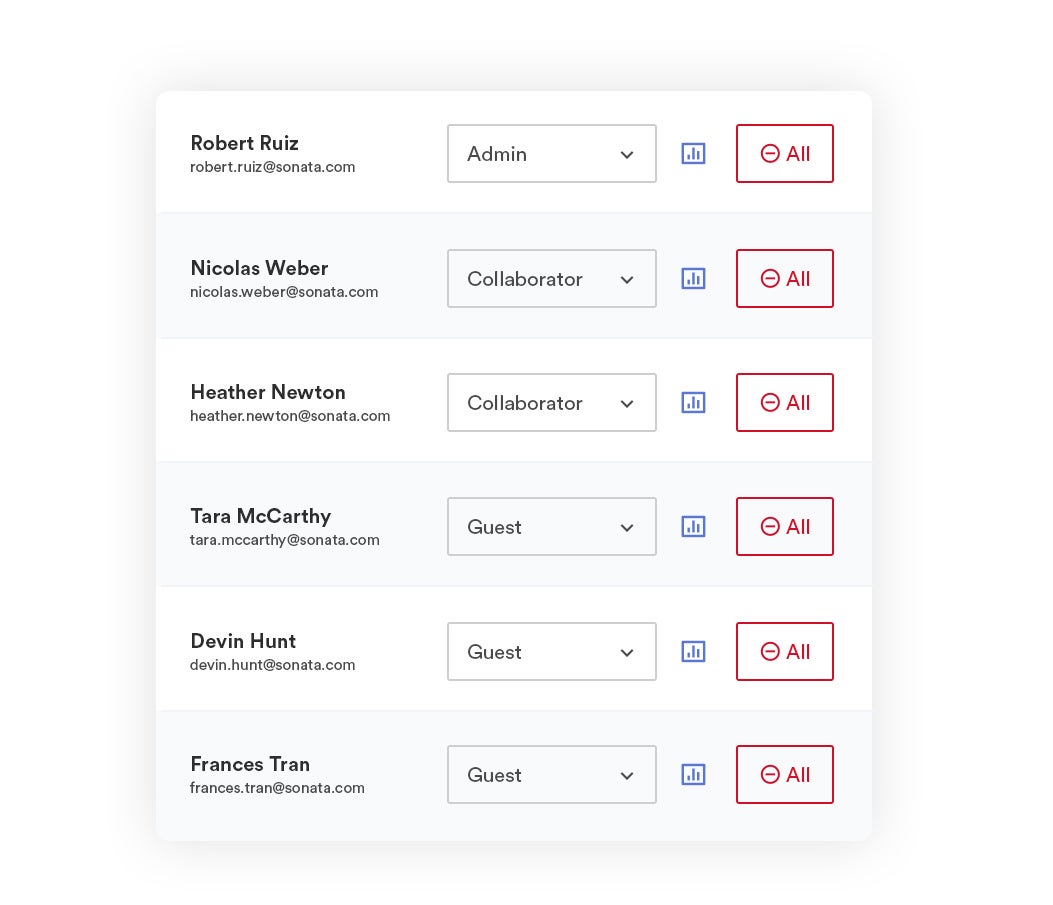
You can get more specific with permissions, too. You can choose exactly which files you want to share (or share entire Brandfolders), update permissions, track file sharing, and monitor user activity.
Note: We provide unlimited free guest seats, so we work well for enterprise teams that collaborate with a variety of external partners, agencies, or contractors.
Custom Share Links
While we’re on the topic of granular file sharing, Brandfolder also provides custom share links, so you can send assets to people outside of the DAM and monitor content once links are sent. And again, we provide free guest seats, so we don’t place limits on file sharing.
As the name suggests, you can customize share links to restrict end-users' interaction with your brand assets. For example, you can:
- Make links private and specify who can access content.
- Set automatic expirations for links.
- Add, remove, and update shared assets.
- Watermark assets or disable downloading (enable view only).
- Require users to submit an email address to view content (or submit requests to download content).
- Track active share links in the reporting dashboard and expire links on the fly.
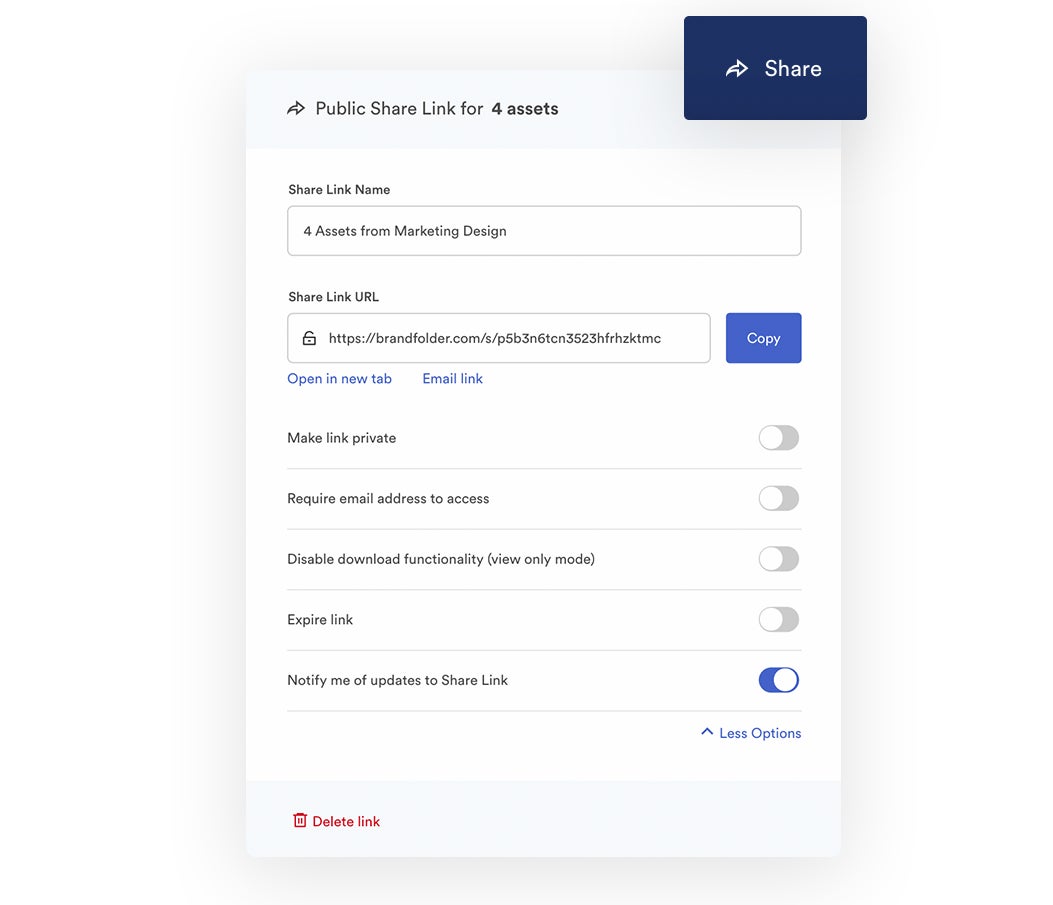
The best part of sharing files through Brandfolder is that everything is trackable and transparent — you can see all share links (active and expired) and dig into exactly what content was shared, with whom, and when. Then, we provide analytics on how many times assets are viewed, downloaded, and published online so you can track how your content is actually used.
Read more: The #1 Way to Share Digital Assets in 2023
Integrations
Brandfolder can connect with other tools in your workflows. For example, content management systems like WordPress, graphic design apps like Adobe, CRM systems like Salesforce, and more, so you can:
- Access DAM content while working in connected software.
- Send files — like InDesign templates, videos, and other creative content — to the DAM.
- Aggregate reporting data and get a more in-depth look at content creation, asset usage, and the outcomes of digital projects.
Brandfolder also has an open-source API and intuitive integrations panel so you can easily build out custom integrations with any software in your workflows. So for example, if you use a PIM system, eCommerce platform, or marketing software that we don’t natively integrate with, you can still use our API to connect the tools.
Learn more about Brandfolder integrations: Top 8 Must-Have Digital Asset Management Integrations
In addition, Brandfolder’s Smart CDN enables you to use the DAM as a single source of truth and distribute digital content across dozens of online mediums. You can access an asset’s CDN link in the Overview tab, then paste the link anywhere you want to publish online.
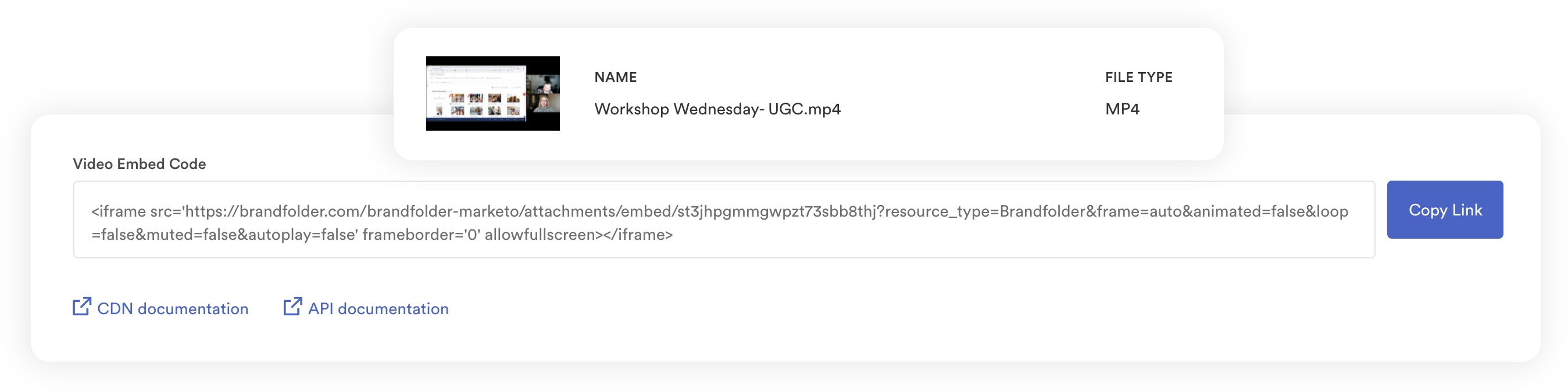
Brandfolder hosts the asset, so all changes to the asset automatically reflect anywhere you embed the CDN link. This makes brand managers’ lives easier and improves brand consistency across digital projects.
Brandfolder Insights
As we’ve mentioned, you can dig into everything that goes on in Brandfolder. We provide a real-time user activity feed, but you can also view auto-generated reports to see top-performing assets and a detailed breakdown of user activity.
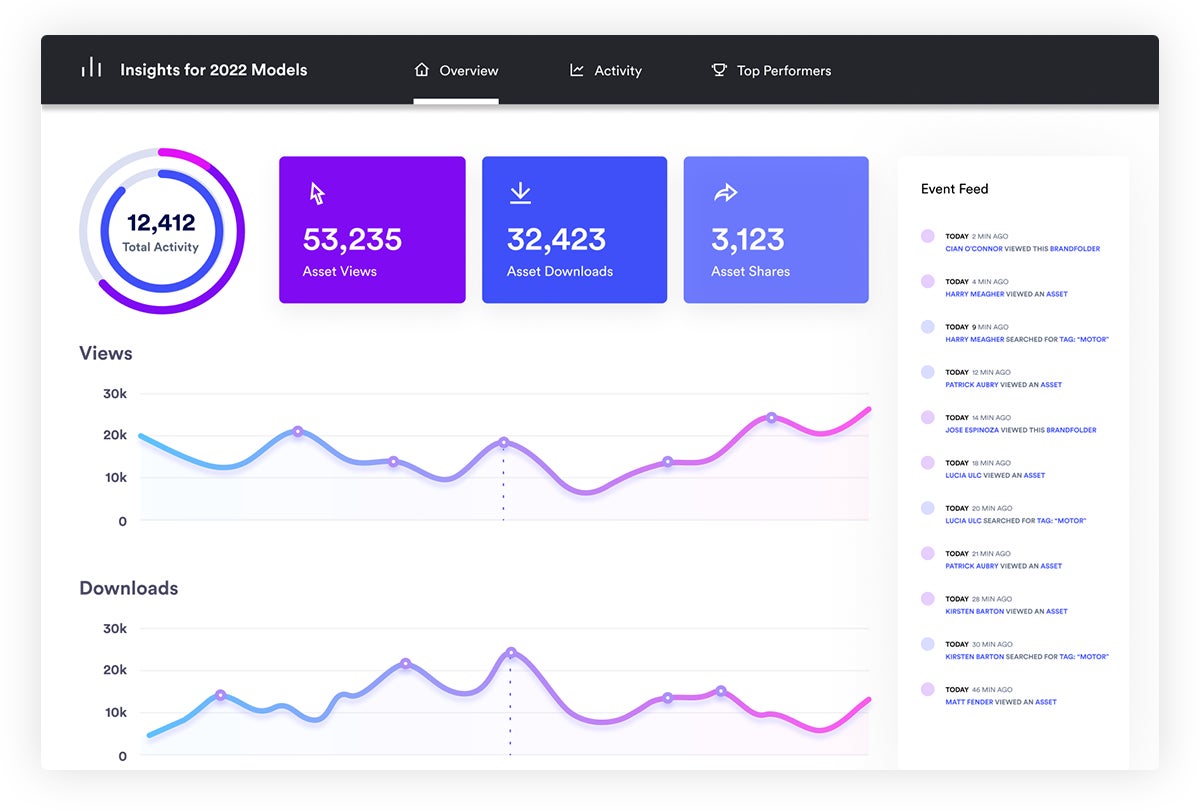
We show big-picture information like how many times your files have been viewed, downloaded, and shared in the current month, but you can also customize reports to look at data over different time periods or look at analytics for individual assets.
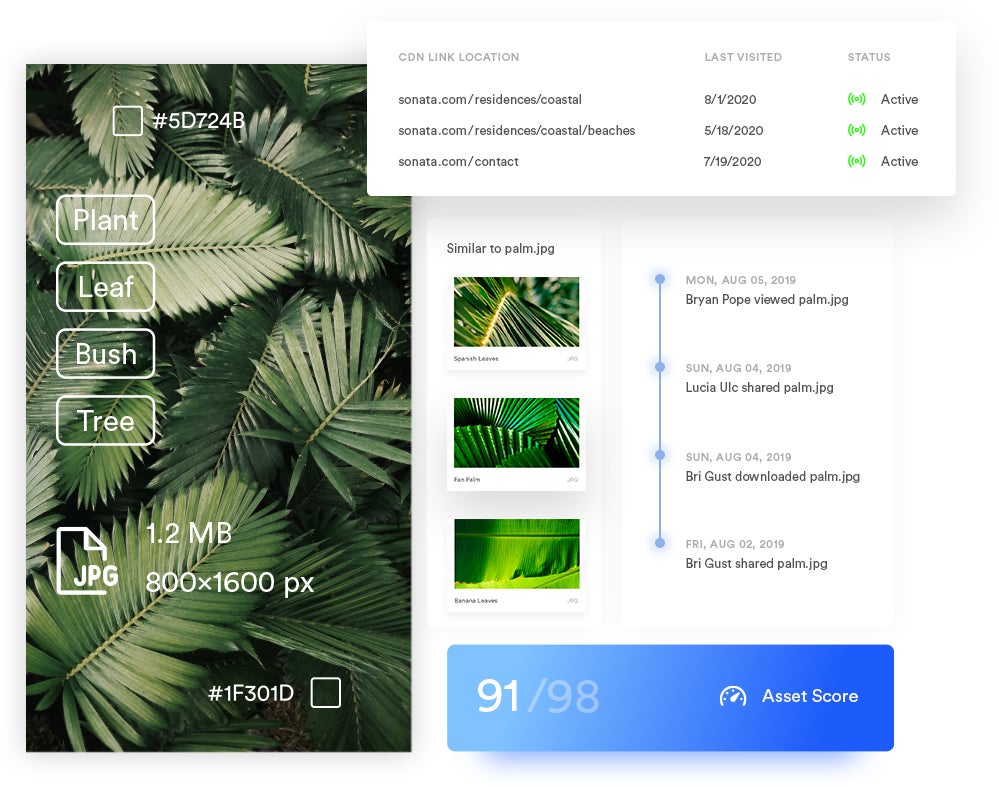
You can find information on shared assets and CDN links in Brandfolder’s reporting dashboard. You can access data about active share links and CDN links, or you can click into an individual file’s Usage tab to see which share links it’s included in and where it’s published online.
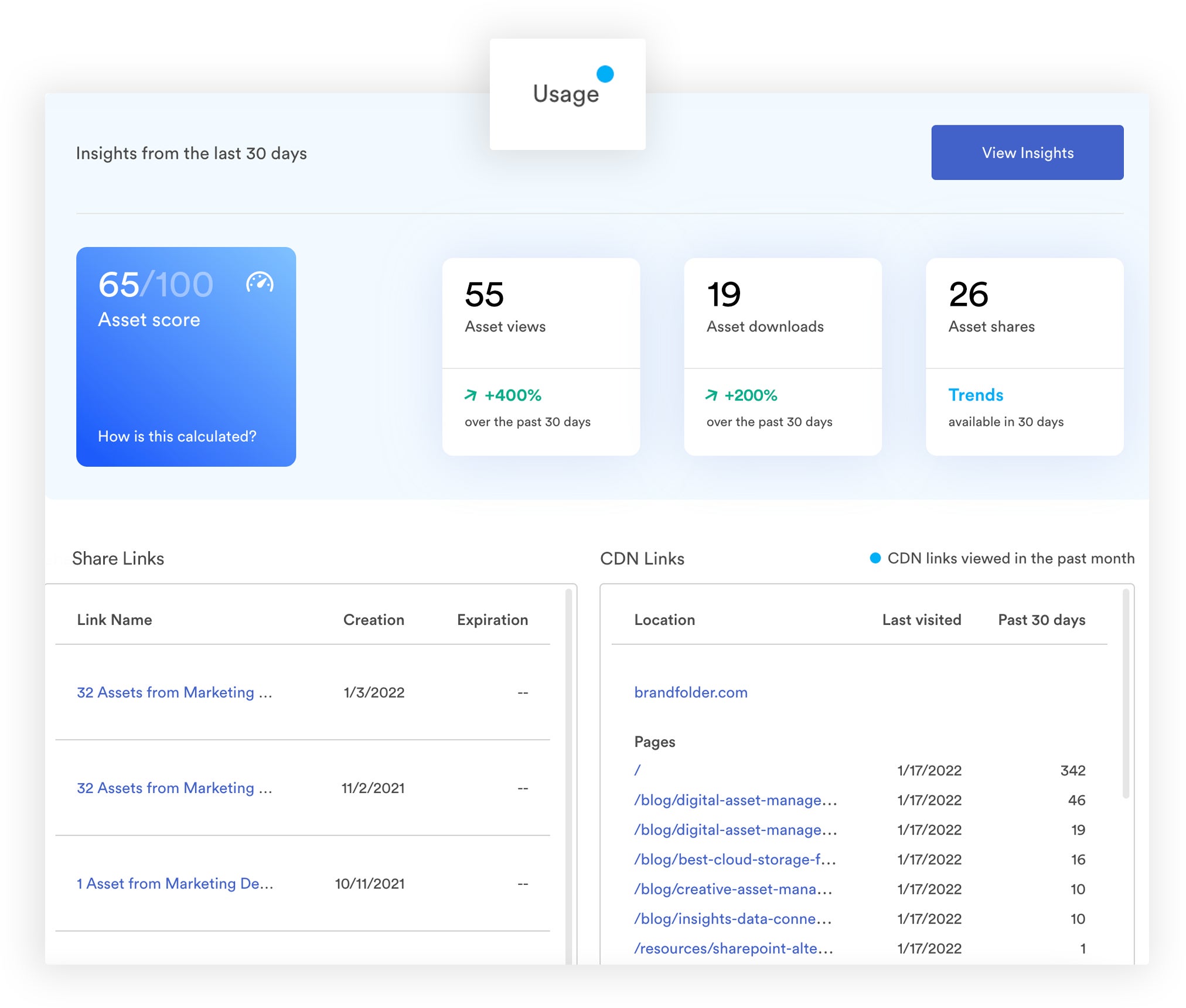
Brandfolder Insights let you understand more about the success of your creative efforts, marketing campaigns, and digital strategies — you’re not just creating and publishing content without data on how it’s utilized. You can use asset analytics to guide your projects and create effective brand collateral.
We also have a variety of extra features — that go beyond “file storage and sharing” — to help teams effectively use brand collateral. These features let users edit and optimize content, make new content from templates, check brand guidelines to make sure they’re using content correctly, and collaborate on digital projects within Brandfolder.
Brandfolder’s Features to Support Content Creation
Brandfolder has a suite of creative tools so teams that access brand collateral can refresh it for their specific use case (without submitting a request to the design team or accidentally going “off-brand” by editing it themselves). These tools include:
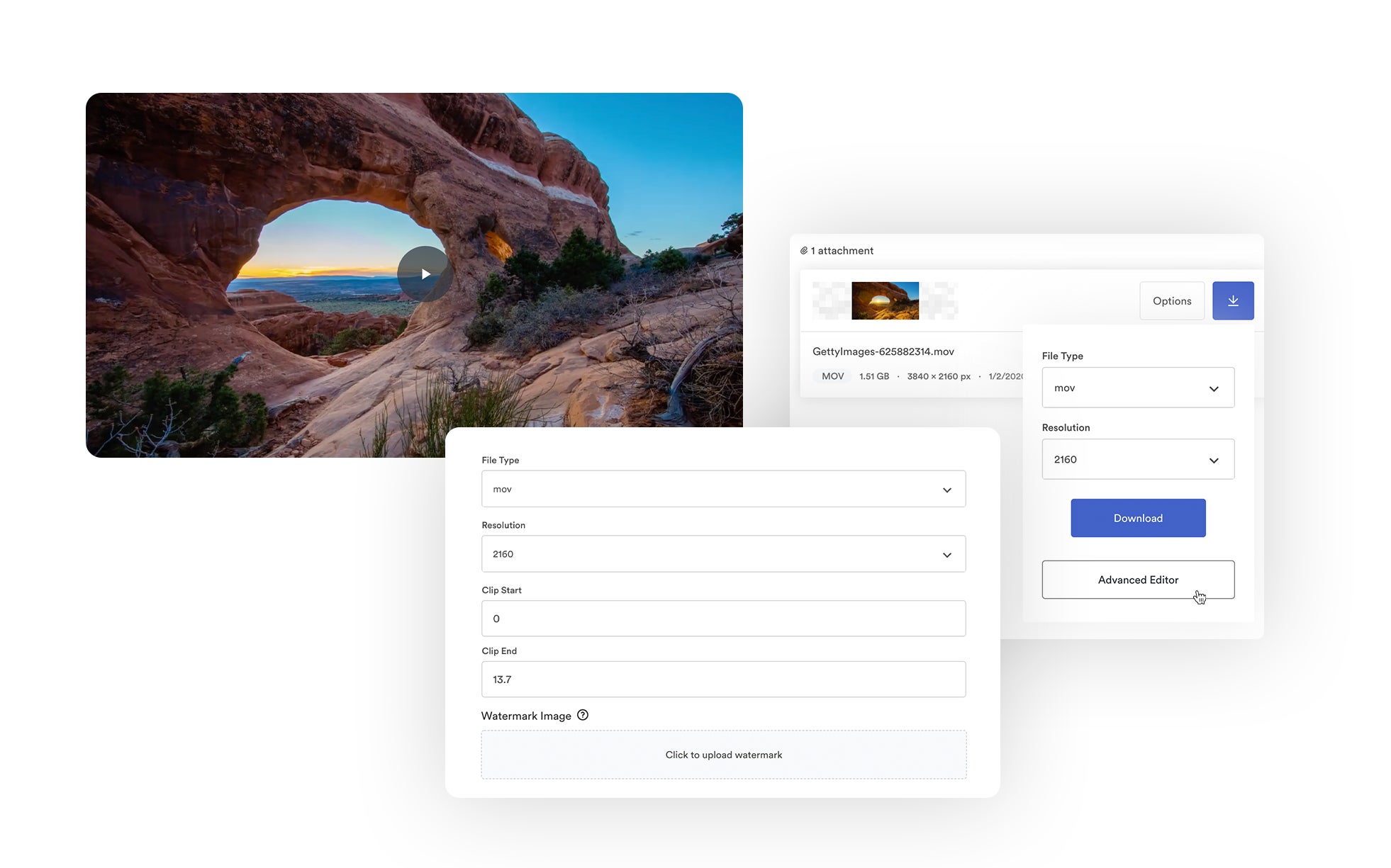
- A convert & resize feature that lets you modify file type or resolution before download.
- A custom crop feature so you can automatically crop assets for different digital and print mediums. We have presets for popular sites like Facebook and LinkedIn, but you can also create saved crops to edit content for your website, blog, marketing newsletters, etc.
- User-friendly video editing features that let you add watermarks, trim recordings, and make clips and GIFs from videos.
- **Content Automation** to edit content and create new collateral from centrally-controlled brand templates. Automation features enable you to create new content at scale, improve time to market, and ease designer burden.
Read more: Creative Asset Management in Brandfolder: Reclaim Your Time
Brandfolder’s Features to Support Brand Managers
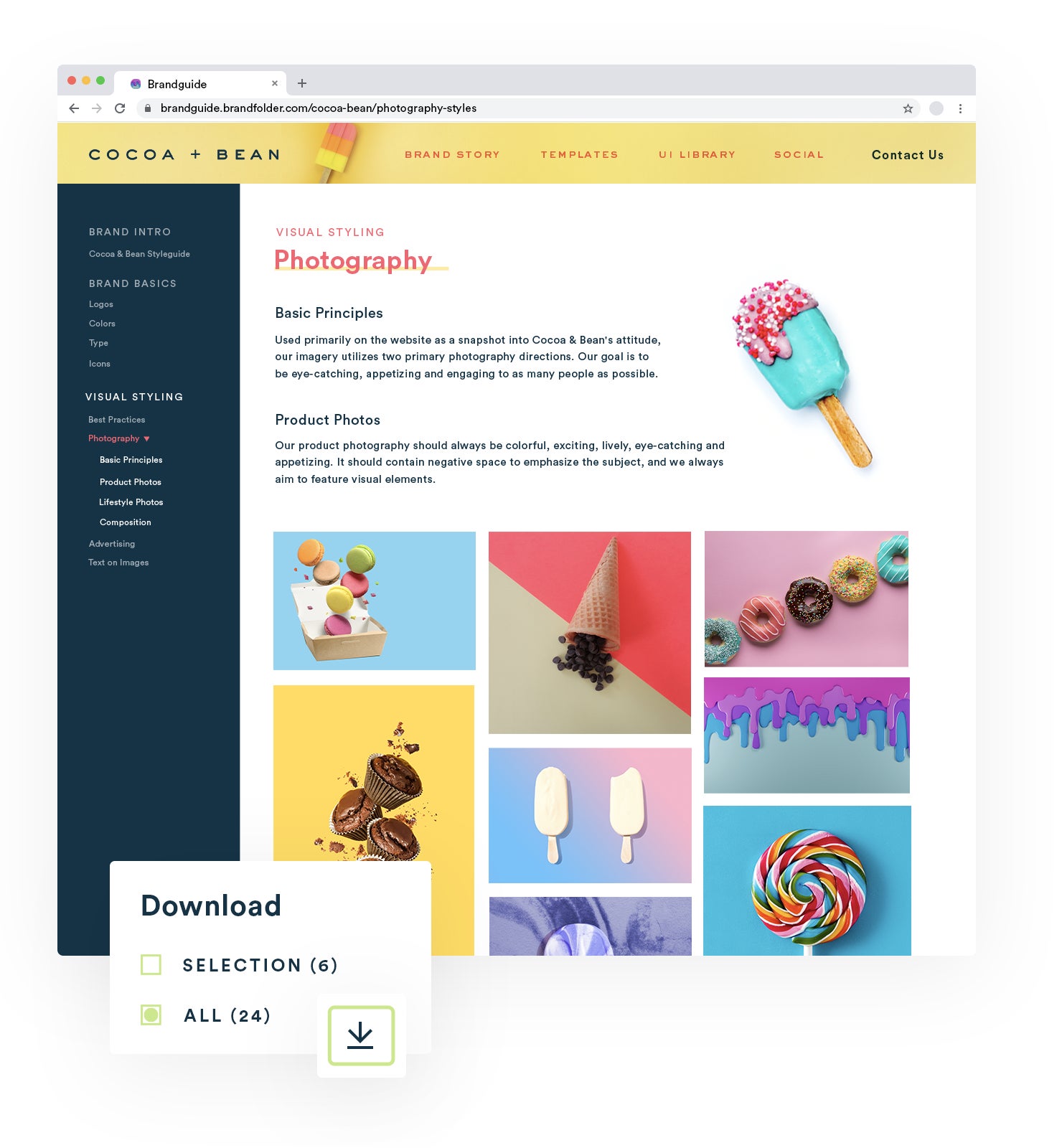
The **Brandguide feature** makes it easy to create organized brand guidelines and share important resources on:
- Brand history, personality, and tone.
- How to use brand assets (where content can be shared, which content can be used in which projects, how often to publish content, etc.).
- Tips to maintain brand consistency, or contact designers or brand managers for help.
You can also use Brandguide to distribute approved brand templates so end users can access all of the information they need to create and publish content in one place.
Brandguide is totally customizable, so you can add the information that feels most important to you and structure it in any way. You can even change the colors, logos, fonts, and overall appearance of Brandguide to reflect your brand theme.
Remember, Brandfolder Smart CDN also supports brand management because it automates asset updates everywhere files are stored, shared, and published online. Everyone on the team is always interacting with the most current, approved versions of your brand content.
Read more: Solutions for Brand Managers
Brandfolder’s Features to Support Team Collaboration and Project Managers
Brandfolder has a native project management suite **(Workspace)** and a **partnership with Smartsheet** to provide robust collaboration tools in the DAM system.
You can access Workspace to manage work-in-progress files, creative requests, marketing operations and other team projects — and the process is simple — you can create, assign, and track tasks all within Workspace. You can learn more here:
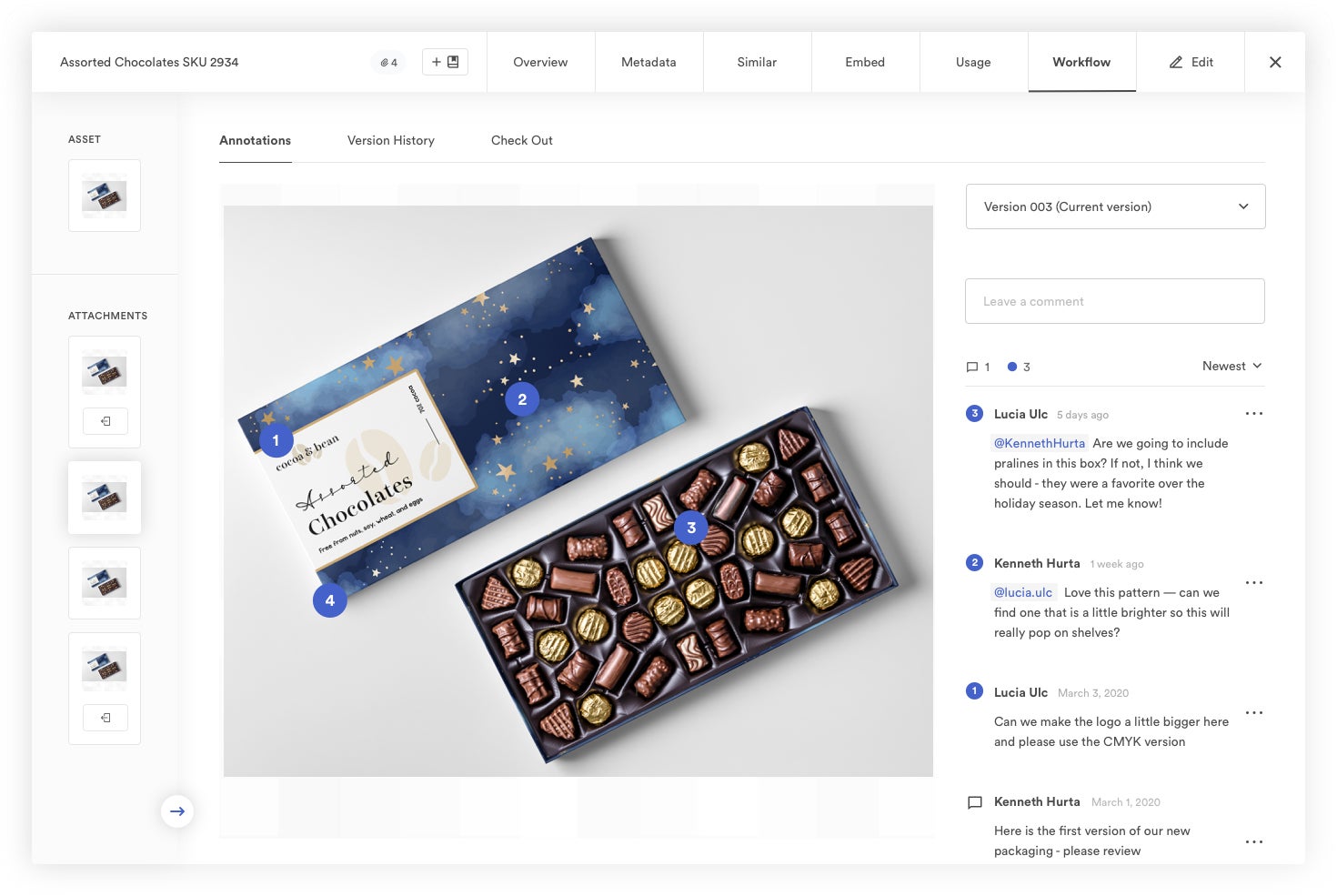
We also have collaboration tools at the asset level, so designers can work together when they need to make updates to content. Users can comment on assets, push files to external editing apps (then push content back to Brandfolder when edits are complete), and track updates in the Version History tab.
Schedule a Free Demo of Brandfolder
Our customer experience team is available to **guide you through the transition to DAM software**. We learn about your requirements, help you decide if Brandfolder is the right fit, and game plan every step of migration. Pricing is based on your needs, and we’re here to help you optimize Brandfolder as your business evolves. **Schedule a free call with us today.**
Read more: Digital Asset Management Software Reviews: 10 Best DAMs
2. Canto
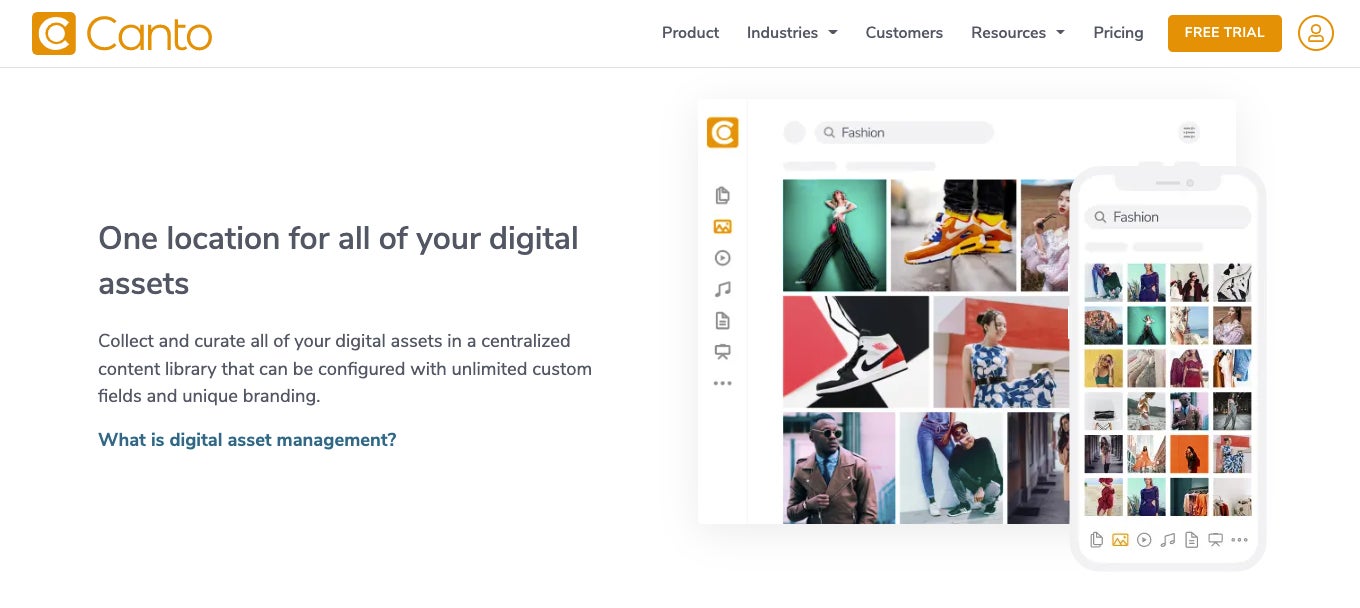
Canto — like Aprimo — is a good digital asset management system for small businesses because they have affordable pricing options and hands-on customer support to help teams transition away from their current storage solutions. However, Canto scores higher **(4.3 stars)** on review sites like G2 because their platform is a little more modern and visually appealing, and the features are easier to use.
Canto’s DAM features include: Flexible cloud storage with a gallery-style interface, advanced search, trackable online sharing, reporting, custom branding, collaborative dashboard, creative tools, video editing studio, native CDN, integrations, and robust security. Plus, they’ve upgraded the software over past years to improve scalability and appeal to enterprise teams.
Despite advanced features and recent upgrades, many users note that Canto can become costly as you require more from the software. For example, Canto doesn’t offer free guest seats, so each person you add to the DAM increases the price.
Although Canto is not designed as a “DAM for small business” — and their team has made efforts to attract bigger brands — Canto is not a very cost-effective option for enterprise businesses or organizations that anticipate fast growth. When you consider price, Canto is best for small brands that need DAM primarily for internal use (i.e., don’t collaborate with a lot of freelancers or partners, and don’t frequently share content).
Professional photographers, agencies, and media brands might also like Canto because their DAM’s AI uses product and facial recognition; it can recognize people and brand-specific objects in your content and add detailed metadata to new uploads, then pull relevant assets when you search for a certain person, product, or brand name.
Read more: Canto Software vs. Brandfolder: Compare Two Top-Rated DAMs
3. Image Relay
Image Relay is a DAM + PIM that markets itself to eCommerce, retail, manufacturing, CPG, and other product-based brands, as well as marketing teams and digital agencies. When looking at case studies and user reviews, it seems Image Relay is most popular amongst mid-size teams and enterprise brands, as they work with college universities and household names like Ben & Jerry’s. But they also offer competitive pricing for small brands that are interested in their dual solution.
This software solution is unique from others on our list because it combines digital asset management and product information management features into one integrated platform. In other words, it lets you manage all of your digital assets (with their associated metadata) and house detailed product information in a systematic way. That’s why this solution appeals to product-based businesses, but if you don’t anticipate needing a PIM in your operations, this solution will offer more than you need.
Image Relay earns a**4.6-star rating on G2** and reviewers note the software’s simplicity and ease of use: There are a lot of options to customize the DAM and PIM libraries to your users’ needs, Image Relay has a powerful search and discovery functionality, features are intuitive (so the software doesn’t require formal training) and implementation is pretty smooth.
However, some users say it becomes increasingly challenging to manage Image Relay as you acquire more content and add users. It’s not always easy to keep files organized and permissions can be tricky. One reviewer mentioned hiring a dedicated DAM manager to oversee Image Relay operations, but their review also clarified that Image Relay saves them so much time and money in other areas that it covers the cost of hiring somebody to maintain the platform.
All in all, Image Relay could be a good option if you’re interested in both DAM and PIM software, and have the resources to onboard and manage the platform.
Read more: DAM vs. PIM: Core Differences & How to Use the Two in Tandem
4. Bynder
Bynder is another DAM that’s popular for mid-size brands, enterprise businesses, and otherwise “growing teams” because they have a flexible and scalable DAM product, and guided support options to help you implement and optimize Bynder.
In addition to their DAM software, Bynder also offers Webdam, a project management solution designed to support creatives and brand managers. You can use Bynder and Webdam separately or integrate the two solutions.
Bynder ranks highly on user review sites — having earned a **4.5-star rating on G2** — and scores well in categories like ease of use (8.9) and quality of support (9.1).
Reviewers note Bynder’s robust feature set and collaborative functionalities. Plus, Bynder integrates with most software, so you can streamline workflows by connecting Bynder with the other tools in your tech stack. And most positive reviews mention the responsiveness and helpfulness of Bynder’s onboarding team; even though the platform and features are a bit tricky to learn, their team provides help along the way.
However, it’s worth noting that Bynder can be demanding to keep up with. Their CSMs minimize this challenge to a degree, but the software can take a while to implement, and it’s hard to add guest users without taking time to train them on the software. Plus, Bynder frequently updates its platform, changing existing features and adding new ones. So the platform basically requires continuous training or a dedicated person(s) on your team who can manage the DAM and quickly answer questions when users need help.
In addition, users mention complaints about Bynder’s UX, saying the search function can be unreliable and the process to upload and tag assets is sometimes clunky. All in all, Bynder’s DAM isn’t the easiest to deploy and use.
Bynder offers an advanced solution for brands that are invested in using DAM software and taking advantage of its benefits; it can work well for businesses that have the interest and resources to manage the DAM in the long term. However, this solution may feel unnecessarily complex for smaller teams.
Read more: 6 Bynder Alternatives: How Brandfolder & Other Competitors Compare
5. MediaValet
The last name on our list, MediaValet, is a popular DAM solution for enterprise agencies, specifically, marketers, creatives, and media teams. They have dozens of features to support content creation, monitor marketing activities and power media distribution, and they allow free unlimited seats so you can add users as often as you need.
MediaValet also stands out on review sites for their helpful customer service — they were voted one of the **Best DAM Partners on G2,** with a 9.5 rating for quality of support. So even if you don’t have the resources to tackle onboarding or manage the software, you can rely on MediaValet’s team to keep things running smoothly.
Note: MediaValet also appeals to teams who use Microsoft business applications, like Dynamics 365 or Sharepoint, because the DAM is built on Azure and has strong integrations with all of Microsoft’s products.
Overall, MediaValet has a 4.5-star rating on G2 — users praise the fast search feature and note the many ways you can organize the asset library to align with your user workflows and digital projects. Reviewers also say that MediaValet has a minimal learning curve and the platform is convenient to use. However, negative reviews of the platform say that it’s a little clunky and outdated, and performance-wise, it can be slow loading and glitchy. (But MediaValet’s team is quick to respond when you have issues.)
In addition, MediaValet has high storage prices and can become expensive as you acquire more content, unless you periodically delete content from the DAM, which isn’t recommended if you want to reference and report on previously-used assets.
You might consider MediaValet if you’re interested in rich media management and have the budget to grow in the software.
Read more: MediaValet Reviews: Brandfolder vs. MediaValet DAM (2023)
Brandfolder is a flexible DAM solution you can configure to your current needs and optimize as your business, teams, and goals change. We’ll help you upgrade from your existing storage drive and learn the ins and outs of our platform so you can leverage the full benefits of DAM software. Schedule a free demo and consultation with our team.